

Checkout Session Manager
See, search, and expire every Checkout Session.
Overview
Checkout Session Manager is a Stripe App that adds the Checkout Sessions table the Stripe Dashboard doesn't have: every session a customer started, with its status, payment, mode, amount, customer, and the subscription it's holding — plus one-click expire and a daily snapshot of how today's checkouts ended up.
Features
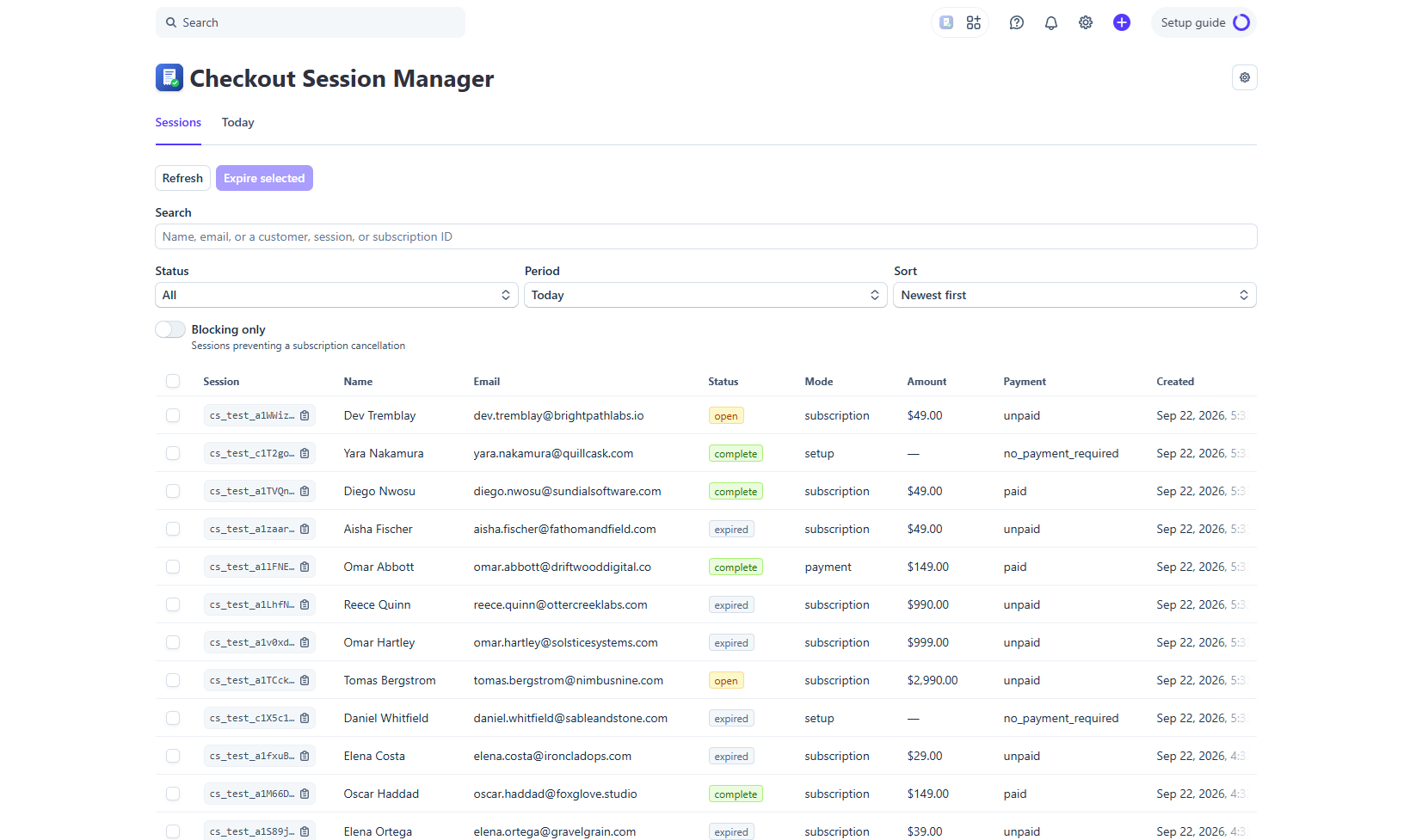
Find any Checkout Session
Search by name or email, or paste a cs_, cus_, or sub_ ID, and the app finds it even when it falls outside the current status or period filter.
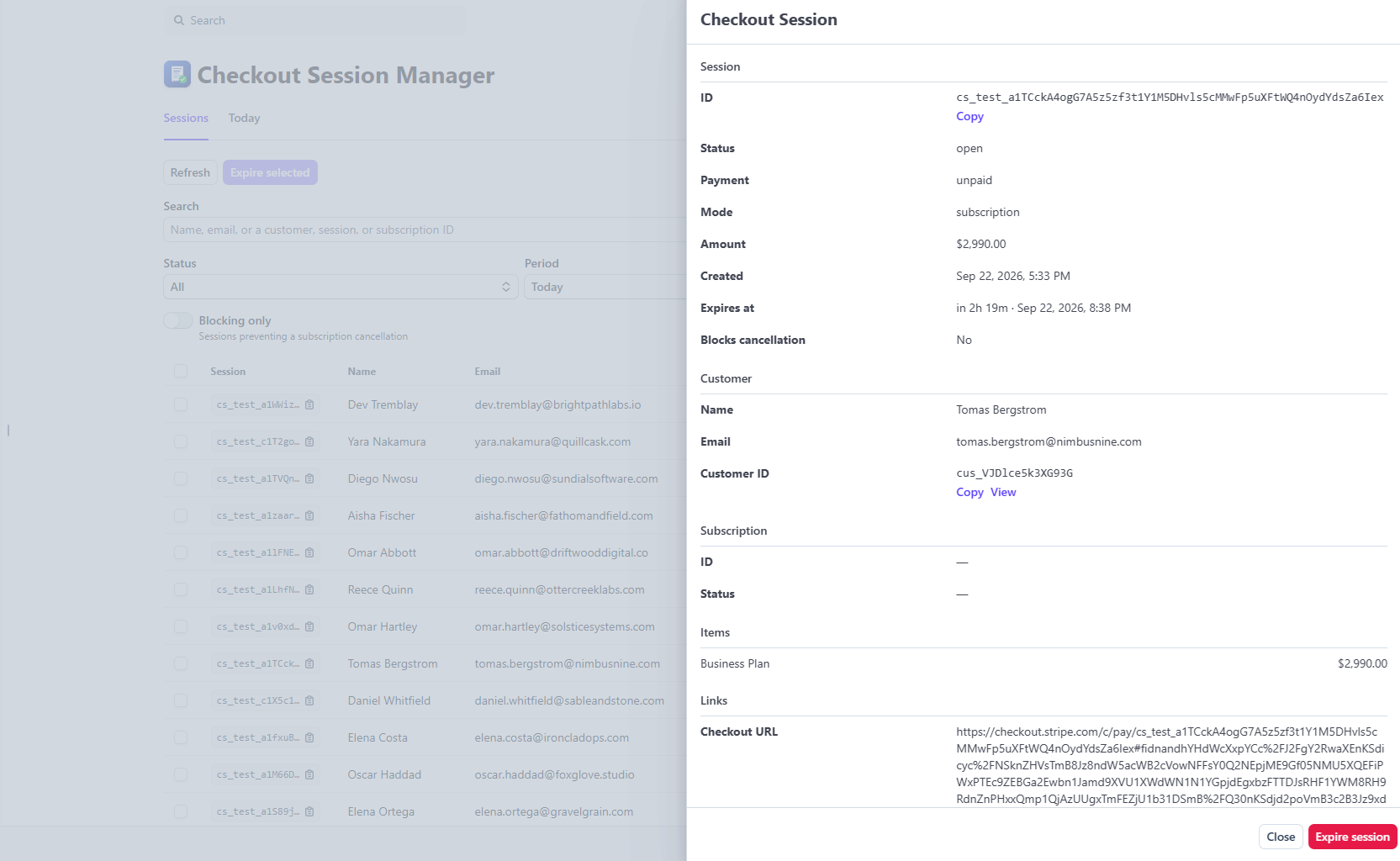
See what a session is holding
The detail drawer shows the customer, the subscription, and the line items, and banners the subscription when a session is blocking its cancellation.
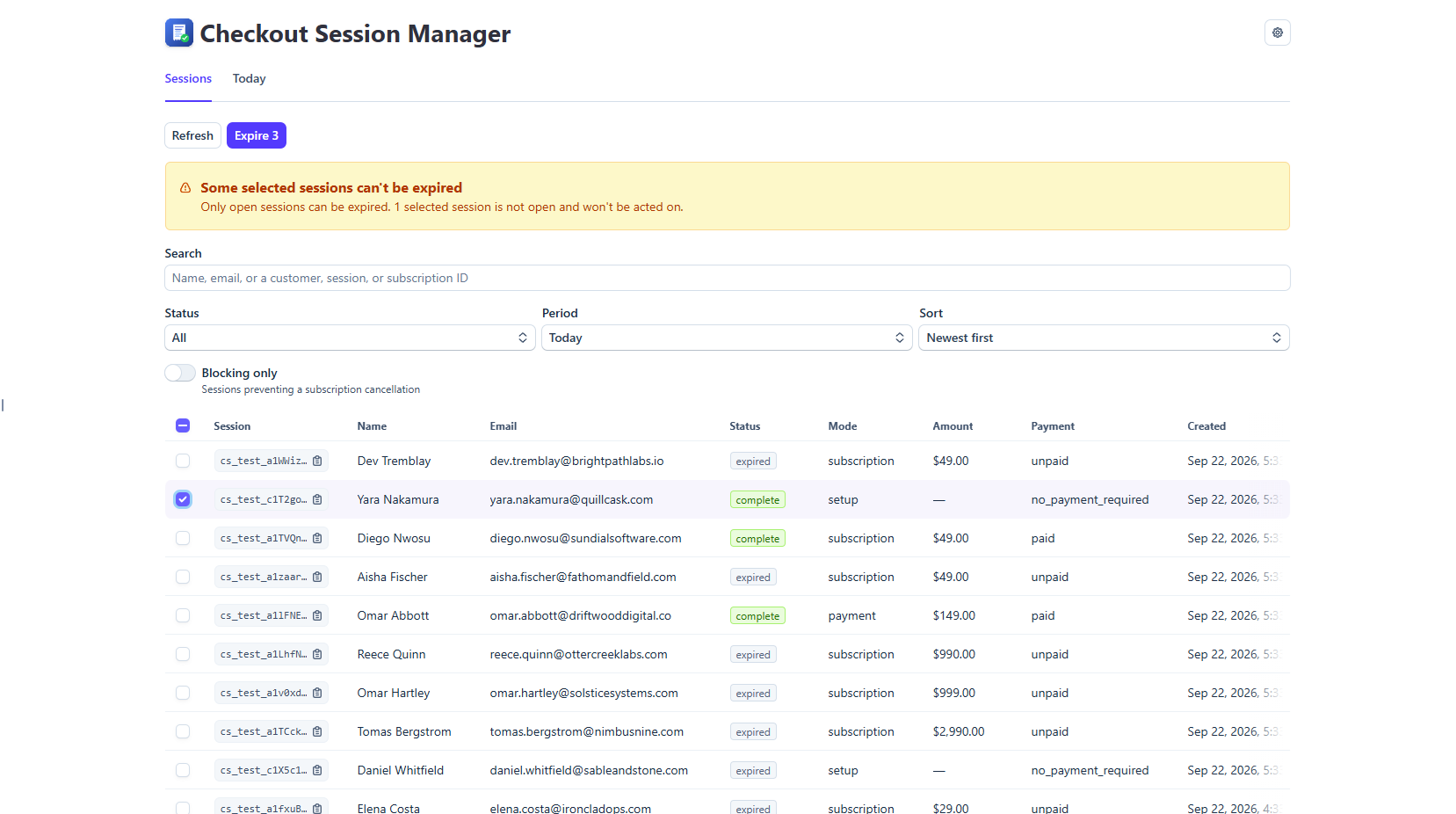
Clean up safely
Expire one session or many at once; only open sessions can be expired, and the action always asks for confirmation.
Screenshots
A real Checkout Sessions list
Filter by status, period, and payment; sort by expiry or creation.
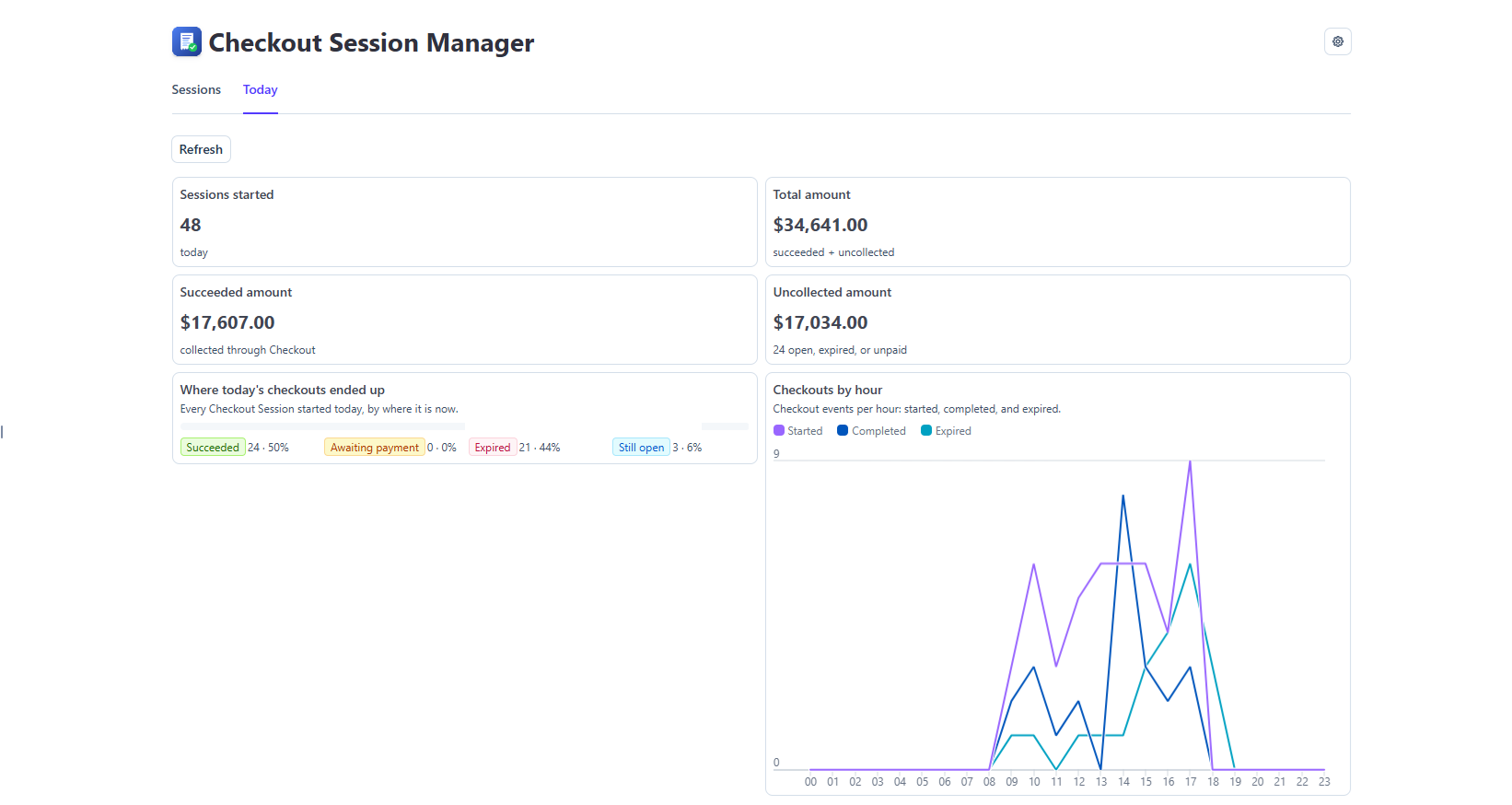
Today at a glance
Sessions started, amounts collected and uncollected, and where the day's checkouts ended up.
How it works
What do the numbers mean? +
The Today tab groups every Checkout Session started today by where it is now: Succeeded (completed and paid, or no payment required), Awaiting payment (completed but still settling), Expired (never completed in time), and Still open.
Why is 'Awaiting payment' always 0? +
It only fills in for delayed payment methods such as ACH, SEPA, or bank transfers. Checkout completes, but the payment settles days later. Card-only accounts stay at 0.
What counts as 'Succeeded'? +
A session that completed and was paid — or required no payment. Uncollected is everything else: still open, expired, or completed but not yet paid. Total amount is succeeded plus uncollected.
Does this include revenue from Invoices? +
No. The app only reads Checkout Sessions. Sales billed through Stripe Invoices are not Checkout Sessions and do not appear in these figures.
Permissions
-
checkout_session_readList Checkout Sessions.
-
checkout_session_writeExpire the sessions you select.
-
event_readRead checkout.session.completed and .expired events so the Today chart can show when checkouts actually completed or expired.
-
subscription_readShow the status of an attached subscription and flag sessions blocking a cancellation.
-
connected_account_readRead the account's Dashboard timezone so Today matches the Dashboard.
-
customer_readShow which customer a session belongs to.
-
user_email_readRecord who expired a session (expired_by).
Privacy
Checkout Session Manager runs entirely inside your Stripe Dashboard. It has no separate website, no account, and no backend, and it keeps no data of its own.
Read the full privacy policy →